Templates
WordCraft Templates
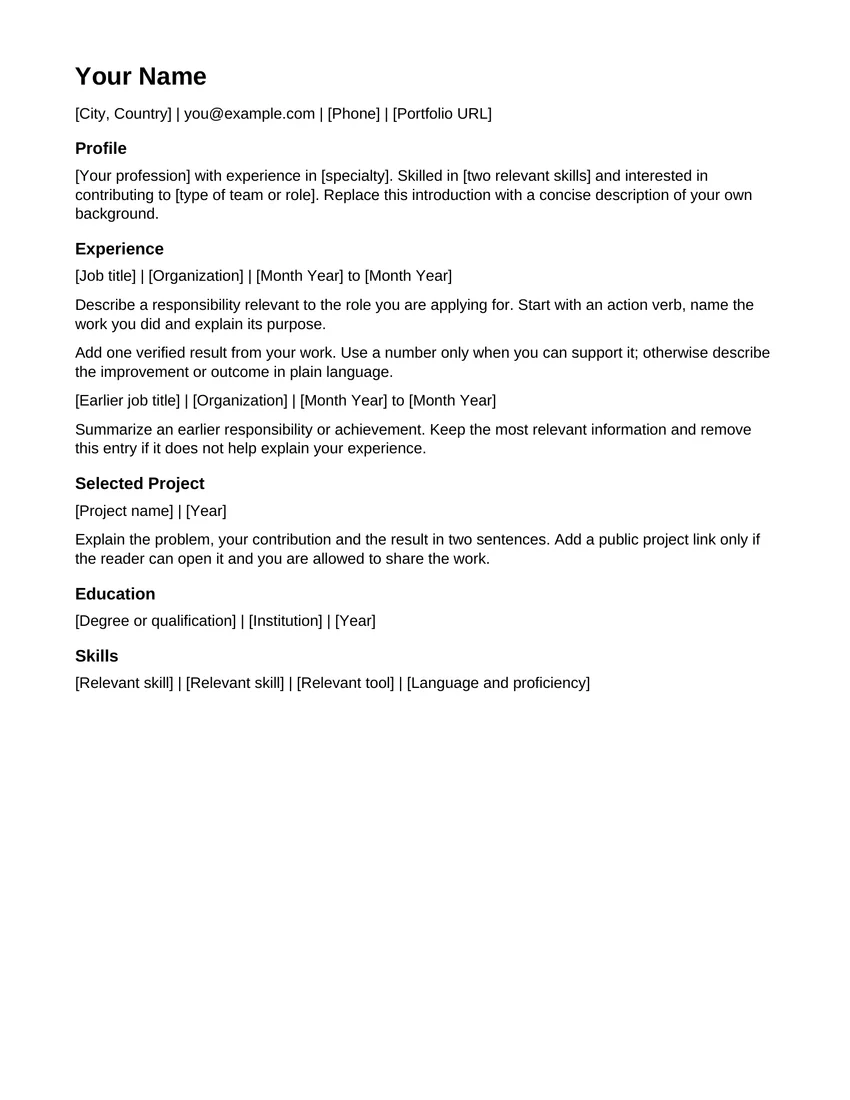
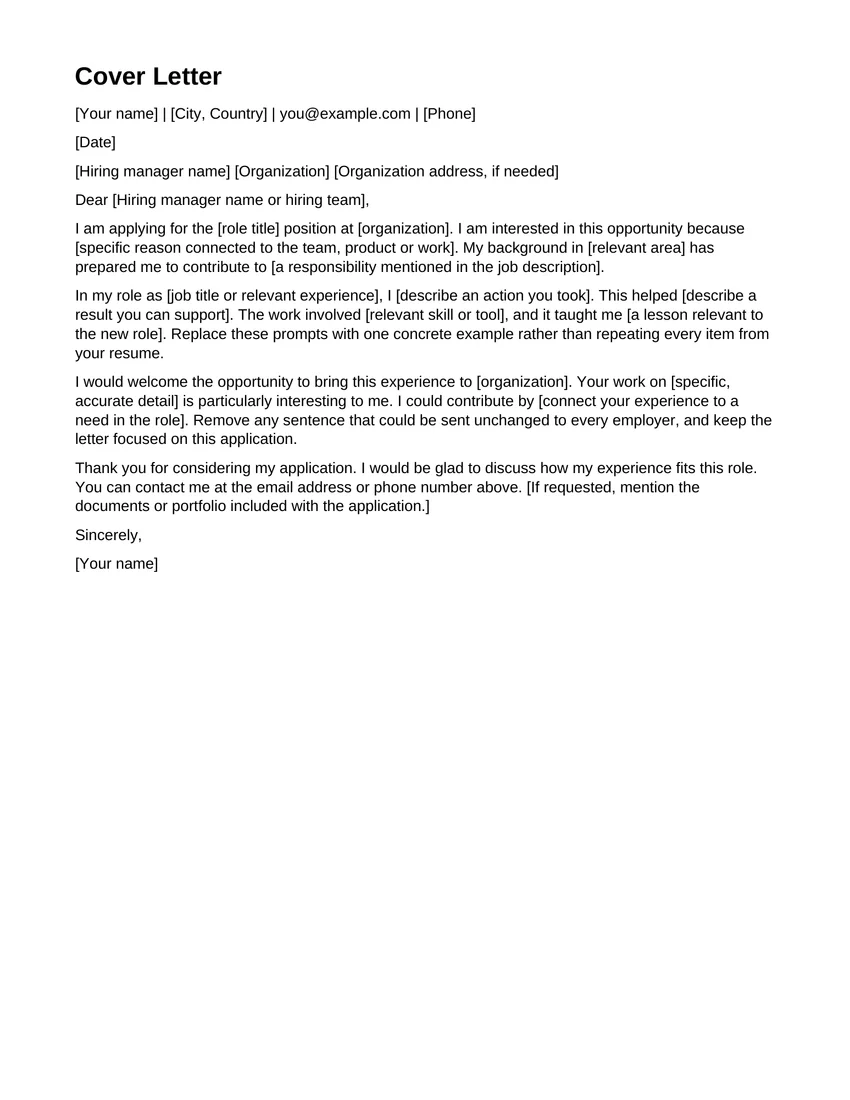
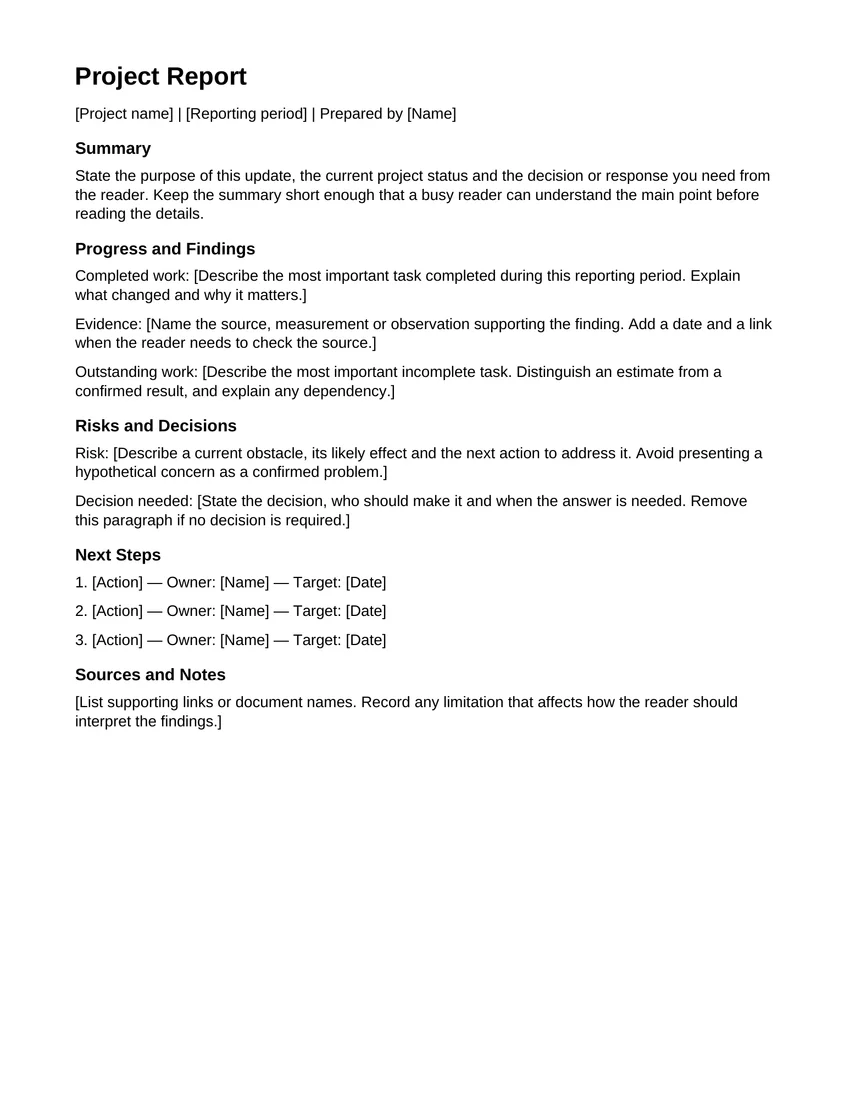
Download free WordCraft templates for a resume, cover letter or report. These original editable DOCX files include writing prompts, real previews and instructions. Download a file, open it through File > Open in WordCraft and customize your copy. The editor also has separate built-in choices under File > New.
How to Use WordCraft Templates
- 1
Download an original template
Choose a template card above. Read its detail page, inspect the real file preview and download the DOCX to your device. Both locales link to the same English-language version 1.0 file.
- 2
Choose File, then Open
Open WordCraft, wait for the ribbon, then choose File > Open and select the downloaded DOCX. The site’s editor link opens the workspace; it does not automatically load this file. For the editor’s separate built-in choices, use File > New.
- 3
Replace the sample text
Read the whole sample before editing. Replace names, contact details, dates, headings and example paragraphs with your own content. Check the final page as well as the first so that no placeholder is left behind.
- 4
Save as .docx or PDF
Choose File > Save As for an editable DOCX copy. Use Export for a separate PDF. Locate the browser download, reopen it and review the result before submitting or sharing your document.
Preparing a Résumé With WordCraft Templates
For a résumé, write down the role you are applying for before replacing the sample text. Put recent, relevant experience first and use short descriptions of the work you actually did. Include accurate education and skill details. The template supplies a starting structure; it does not verify your claims or decide what a particular employer requires.
After editing, review spacing around each section and check whether a heading has moved onto a page by itself. Keep a DOCX copy for later applications. If an application asks for PDF, export and inspect that file separately. Follow the requested format rather than assuming one file type is right for every submission.
Writing a Letter or Cover Letter
Use the letter template for one clear purpose. Add the correct recipient and date, explain the reason for writing, then close with your name. For a cover letter, connect your experience to the position in your own words. Remove any example address or signature that does not belong to you.
Check the document in reading order after replacing the sample. A short letter usually benefits from clear paragraphs and consistent spacing. Save a new file with a name you can recognize later. Reopen the downloaded copy to confirm that the latest wording, rather than an earlier draft, is the version you are about to send.
Organizing a Report
Before filling in a report, decide what the reader needs to learn. Start with the purpose, use headings for findings and explain the next steps. If you add a table, give each column a clear label and check it after saving. A built-in template is a starting document, not a guarantee that it meets a school or organization’s formatting rules.
Template Files and Current Limits
These original downloads were created by WordCraft Online. Each uses US Letter paper, Arial 11-point body text and black headings, and its preview was rendered from the actual file. The editor’s built-in Résumé, Letter and Report choices remain available separately under File > New. WordCraft is in alpha: review saved outputs and keep backups of important documents.
Start from a template now
Open WordCraft Online →