Free original template
WordCraft Cover Letter Template
Use this free WordCraft cover letter template to draft a letter for a specific job application. The editable DOCX contains contact details, a recipient, a greeting, focused paragraphs and a closing. Download it, replace the prompts and keep a copy you can revise for the next application.
Preview and Download the WordCraft Cover Letter Template
The file provides an application opening, a relevant work example, a paragraph connecting your experience to the organization and a courteous closing. It is a starting structure for a tailored letter. The bracketed text and instructional paragraphs deliberately need editing before the document is ready to send.
The preview below was rendered from this exact downloadable DOCX. Version 1.0 uses US Letter paper, Arial 11-point body text and black headings. It has no macros, form fields or account requirement. Both English and Chinese detail pages provide the same English-language file; you can replace its wording with your own language after opening it.
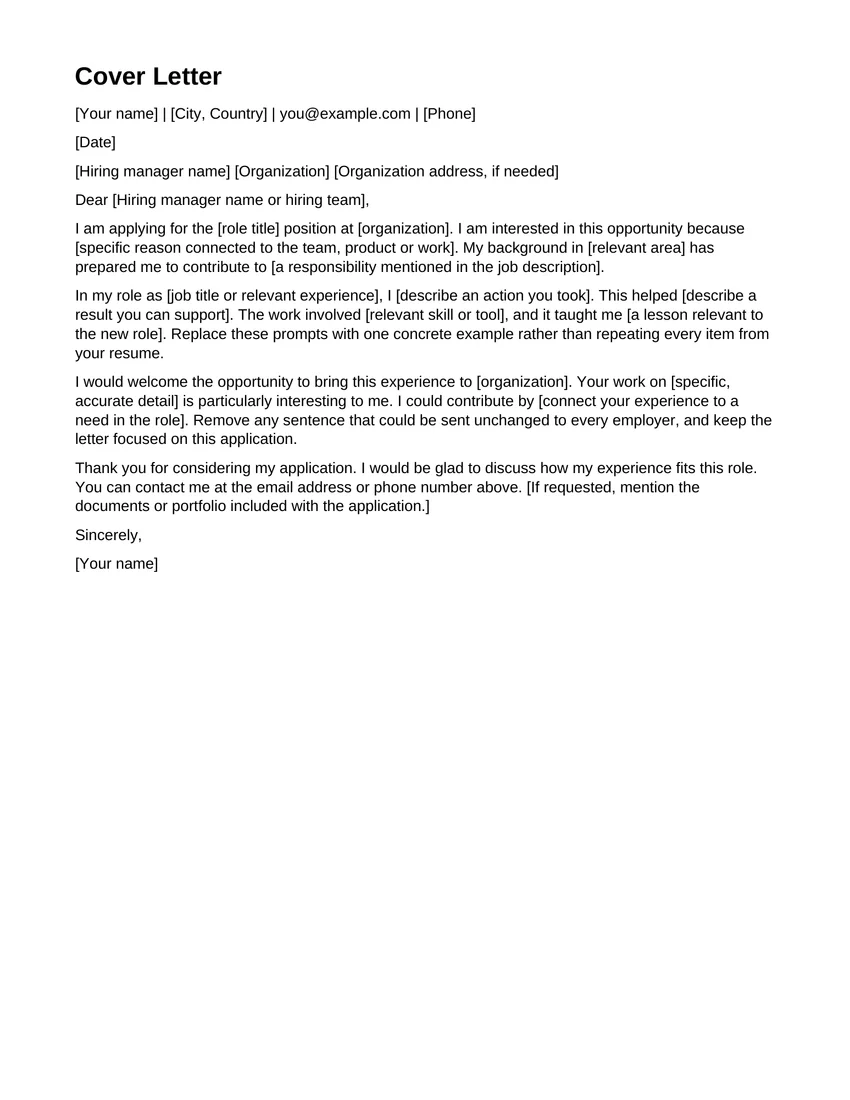
English DOCX · 1 page · US Letter · Arial 11 pt · Version 1.0
Download the file first. Then open WordCraft, choose File > Open and select the DOCX from your device. Opening the editor does not automatically load this template.
Download DOCXOpen WordCraft →What to Edit
Replace the sender details, date, recipient and greeting first. If you do not know the hiring manager’s name, use an appropriate team greeting rather than inventing a name. Include an organization address only when the application needs it. Check the role title and organization spelling against the actual job listing, especially when you reuse a draft.
The opening explains why you are applying. The middle paragraphs ask for one concrete example of your work and a connection to the employer’s needs. Replace every bracketed prompt with accurate details in your own voice. The final paragraph provides a clear way to contact you. Delete the editing instructions inside the sample paragraphs; they are there to guide drafting, not to be sent to the employer.
How to Use This Template
- 1
Download a clean copy
Choose Download DOCX and locate the file on your device. Your browser may save it to Downloads or ask you to choose a folder. Keep this original as a backup before adding personal information.
- 2
Open and customize
Open WordCraft and wait for the ribbon and document area. Choose File > Open and select the downloaded file. Replace the prompts and review the layout as you edit. This button opens the workspace; it does not automatically import the template.
- 3
Save and check
Choose File > Save As for an editable DOCX copy. Locate the download and reopen it to confirm the changes. To create a reading copy, use File > Export > PDF document (*.pdf), then inspect the downloaded PDF separately.
Before You Send It
Read the letter as if you were the recipient. Each paragraph should add useful information, rather than restating the entire resume. Confirm that the reasons for applying refer to this organization and that any description of its work is accurate. A template can organize your message; it cannot verify a job posting or choose your qualifications.
Keep the letter focused and check its length after editing. Changing the greeting or adding an address can move the closing onto another page. Review the signature and contact line in the saved file. Follow the application’s requested format, and keep a separate editable copy if you also send a PDF. Use a file name that distinguishes this employer’s letter from your other drafts.
WordCraft is in alpha. Our checks cover these simple original templates, not every document layout or font. If the saved result differs from your draft, return to the backup and check it in the application your recipient will use. Save your work before closing the browser; an account is not a cloud document backup.
Template Questions
Is this template free to download and edit?
Yes. WordCraft Online created this template and permits you to download, edit and use it in your personal or commercial documents without payment or an account. This permission covers the template file, not third-party software or trademarks.
Can I use the file for another type of letter?
You can edit the DOCX, but its prompts are written for a job application. For a different purpose, replace the application paragraphs with your own message and check that the greeting, recipient and closing fit the situation.
Is the Chinese page a Chinese DOCX download?
No. The detail page is translated, but version 1.0 of the DOCX is in English. Replace its headings and prompts with your own language after opening it. Review the layout when changing text length or fonts.
How is this different from File > New?
This is an original downloadable WordCraft Online file. The editor also includes separate built-in templates under File > New. To use this download, choose File > Open instead.
Browse the other original templates
See all templates →